Free & Pro · Revit 2020-2027 · Windows

Five apps. One key.
Which one is your problem?

This page is about what each app does and which one you actually need - pricing is where the plans and numbers live. Hub, Link and Audit install from one installer into one Parapet tab in Revit; Parapet Desktop and Parapet Scan are Windows apps with their own downloads. Each is licensed on its own, and one Parapet Pro key covers them all.
Which app do I need?

Start from the job in front of you. Most people begin with the free Audit and add one paid app when a week demands it.

Download Parapet
The job on your deskThe appWhat it costs you
Set, renumber or fill a parameter on hundreds of elements - rooms, doors, sheets, anythingHubPro · 14-day free trial
Create sheets from views, color by parameter, move to workset, fix systems in bulkHubPro · 14-day free trial
A spreadsheet is the source of truth - a room programme, a door schedule, an equipment listLinkPro · 14-day free trial
Consultants send CSV, JSON, XML exports or Google Sheets and someone retypes themLinkPro · 14-day free trial
The model is slow, heavy, or full of mystery DWGs - or the links moved servers againAuditFree, no trial, no card
Find out whether a model is healthy without opening it - or audit a whole folder of models in one runDesktopFree audit · Pro with a 14-day free trial
Check the client's asset register or COBie sheet against the model and get the gap listDesktopPro · 14-day free trial
The laser scan arrived: is it built as modelled, and which elements are out of tolerance?ScanFree app · Pro inside Revit with a 14-day free trial
Prove the model is ready: history, comparison, a portfolio, a signed go / hold decisionAudit ProIncluded with Hub or Link
You will use more than one paid app - or you want every future app includedParapet ProOne key, one bill - see pricing

Every paid app is a 14-day free trial started from inside the app - no card, nothing converts automatically. Plans, prices and the full comparison live on the pricing page.

The real windows

No mockups - these are the apps, open on real models. Click through for each one's full tour.

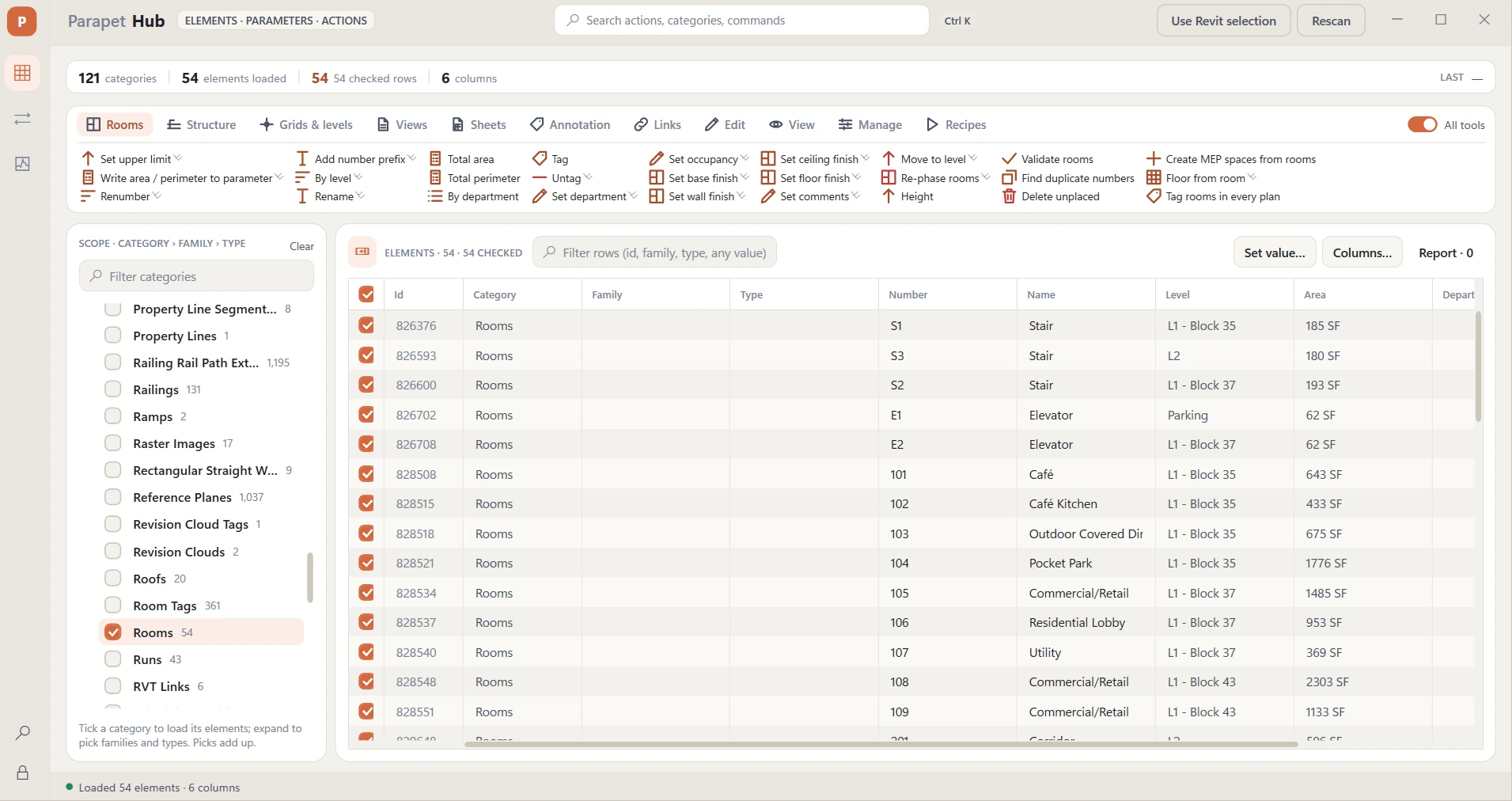
The Parapet Hub window: 121 categories, 54 rooms picked, the room tools on a ribbon of category tabs, and a grid of rooms with numbers, names, levels and areas.
Parapet Hub - 121 categories, one grid, and a ribbon that becomes the tools for whatever you pick. 389 one-click actions, rules and recipes. See Hub →
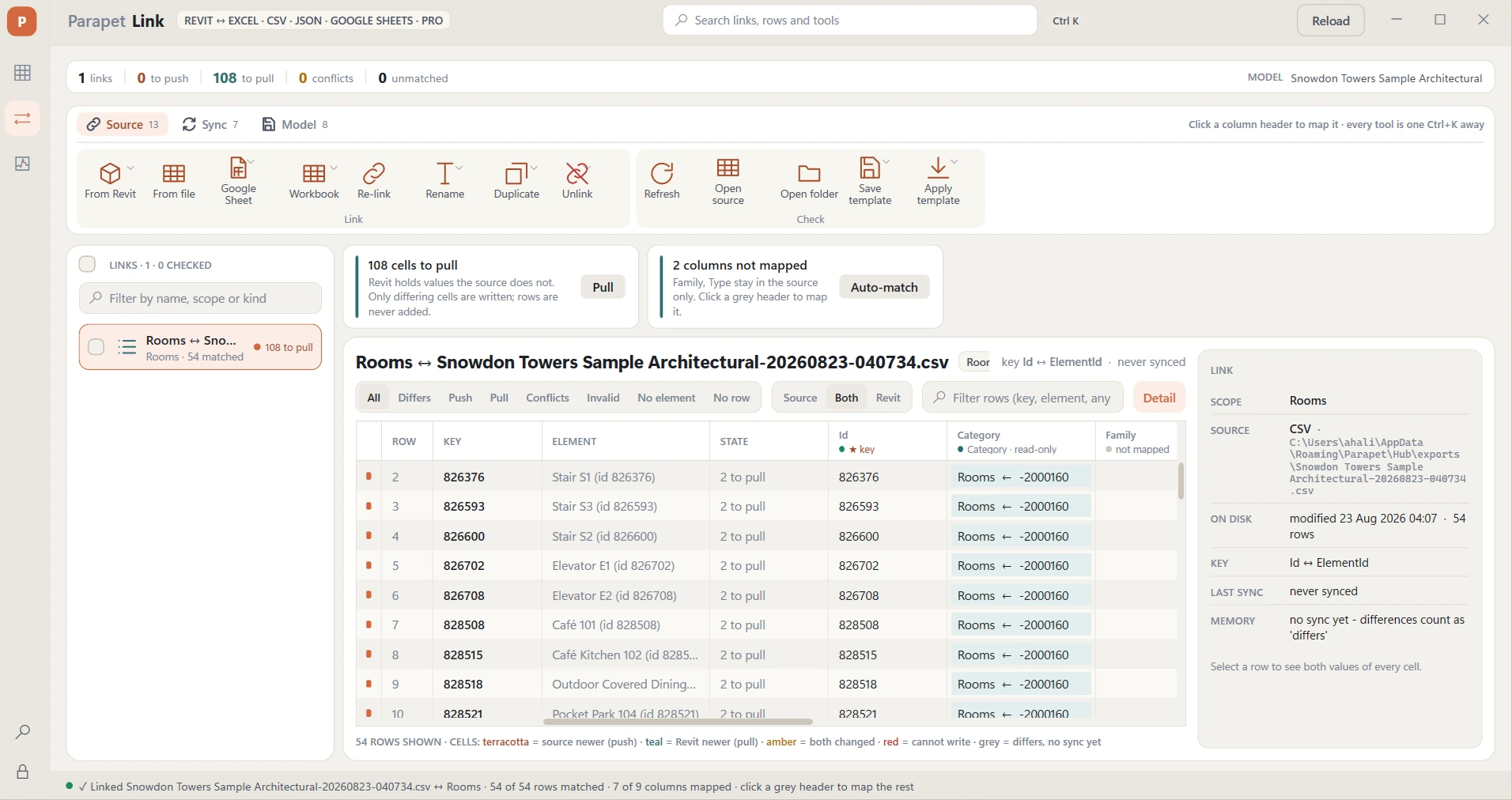
The Parapet Link window: a CSV of rooms linked to the model, 108 cells to pull, a two-sided grid and the link's detail panel.
Parapet Link - Revit on one side, the file on the other, every changed cell visible, one undo per push or pull. See Link →
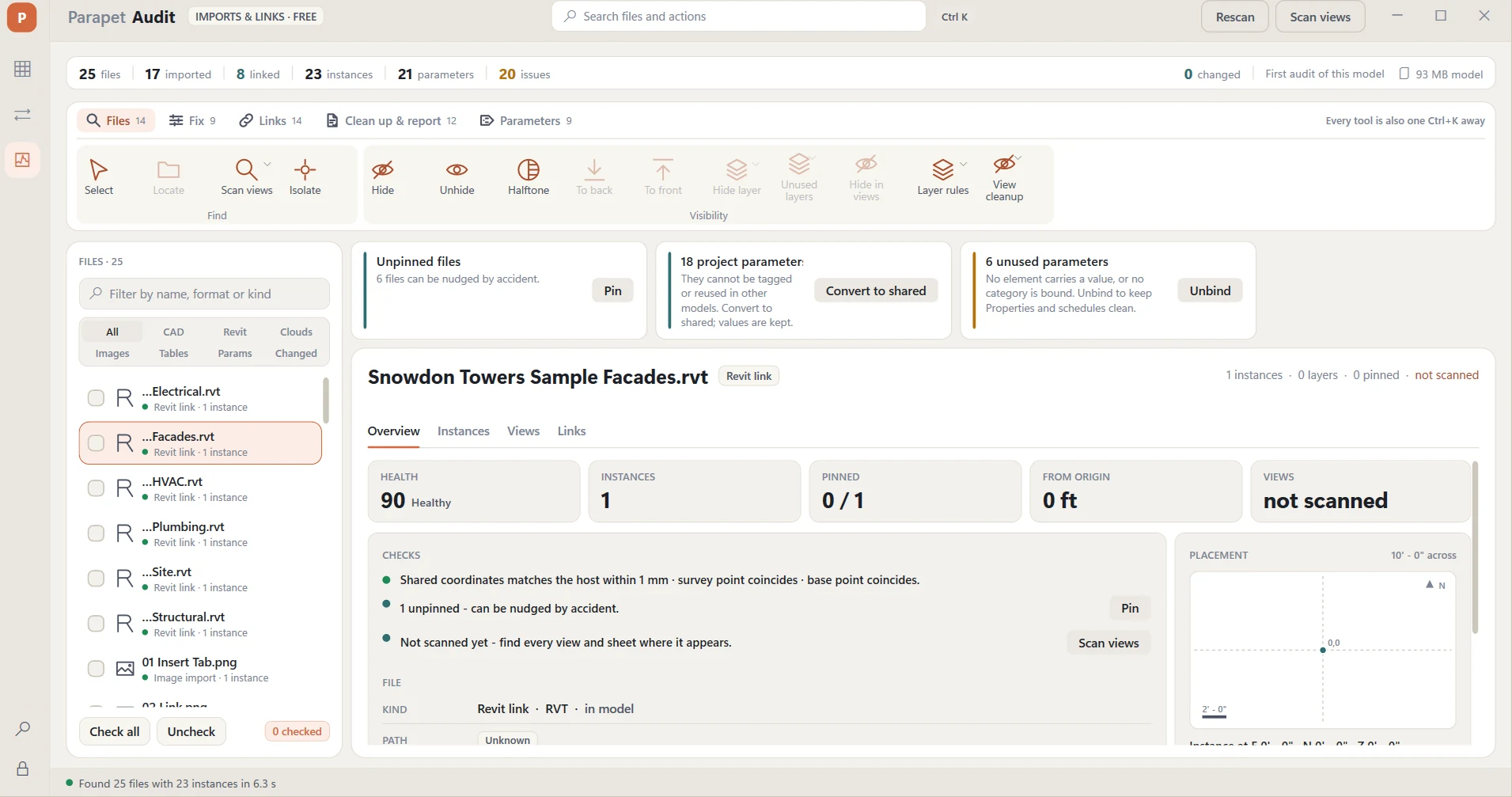
The Parapet Audit window: 25 external files listed with health scores, checks and a placement map.
Parapet Audit (free) - 25 files, 20 issues, found in 6.3 seconds. 12 file kinds, 34 checks, 92 tools. See Audit →
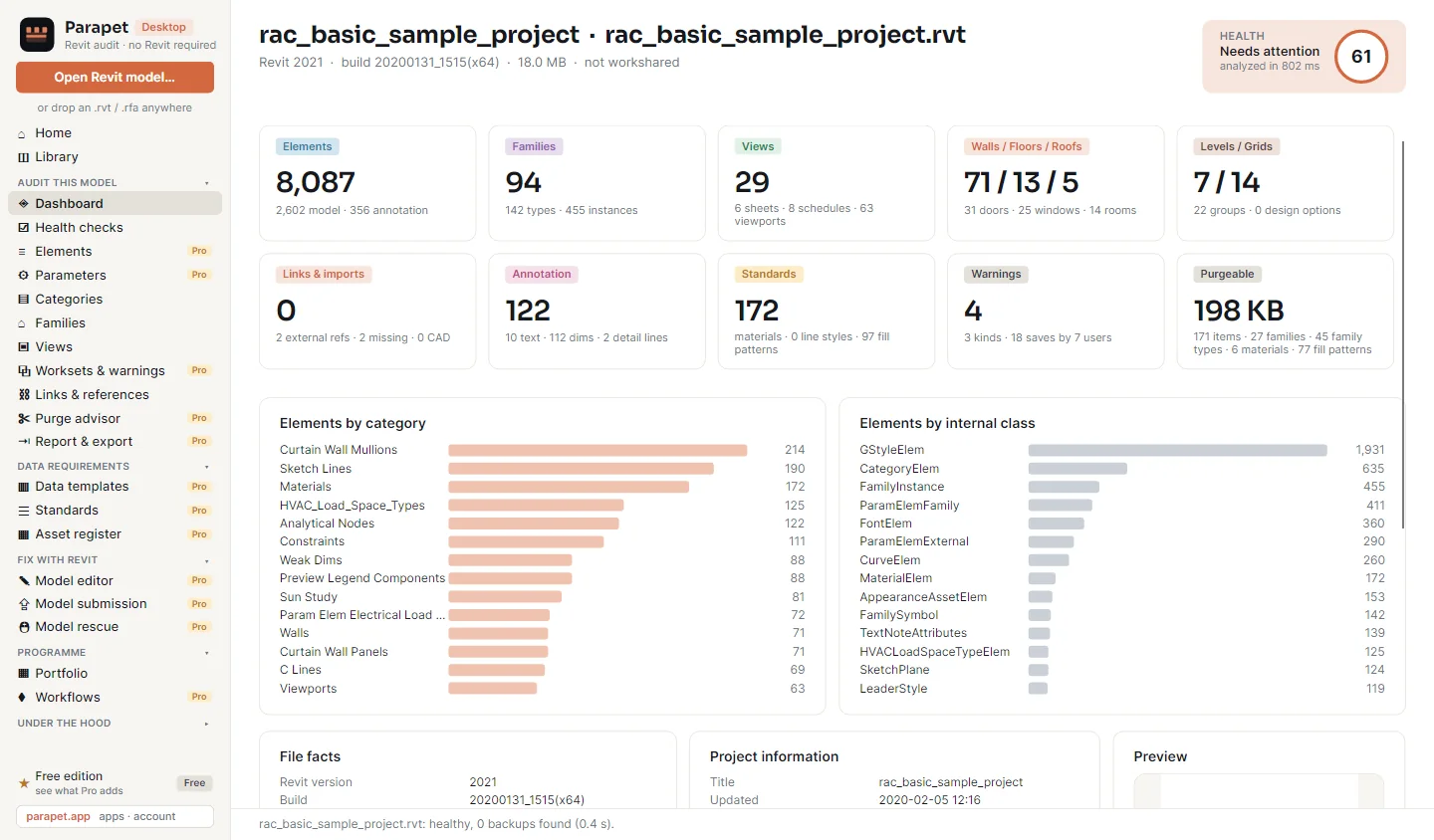
The Parapet Desktop dashboard for a sample project: health score 61, 8,087 elements, 94 families, 29 views, 4 warnings and 198 KB purgeable.
Parapet Desktop - 8,087 elements read from the file in under a second, with no Revit running. See Desktop →
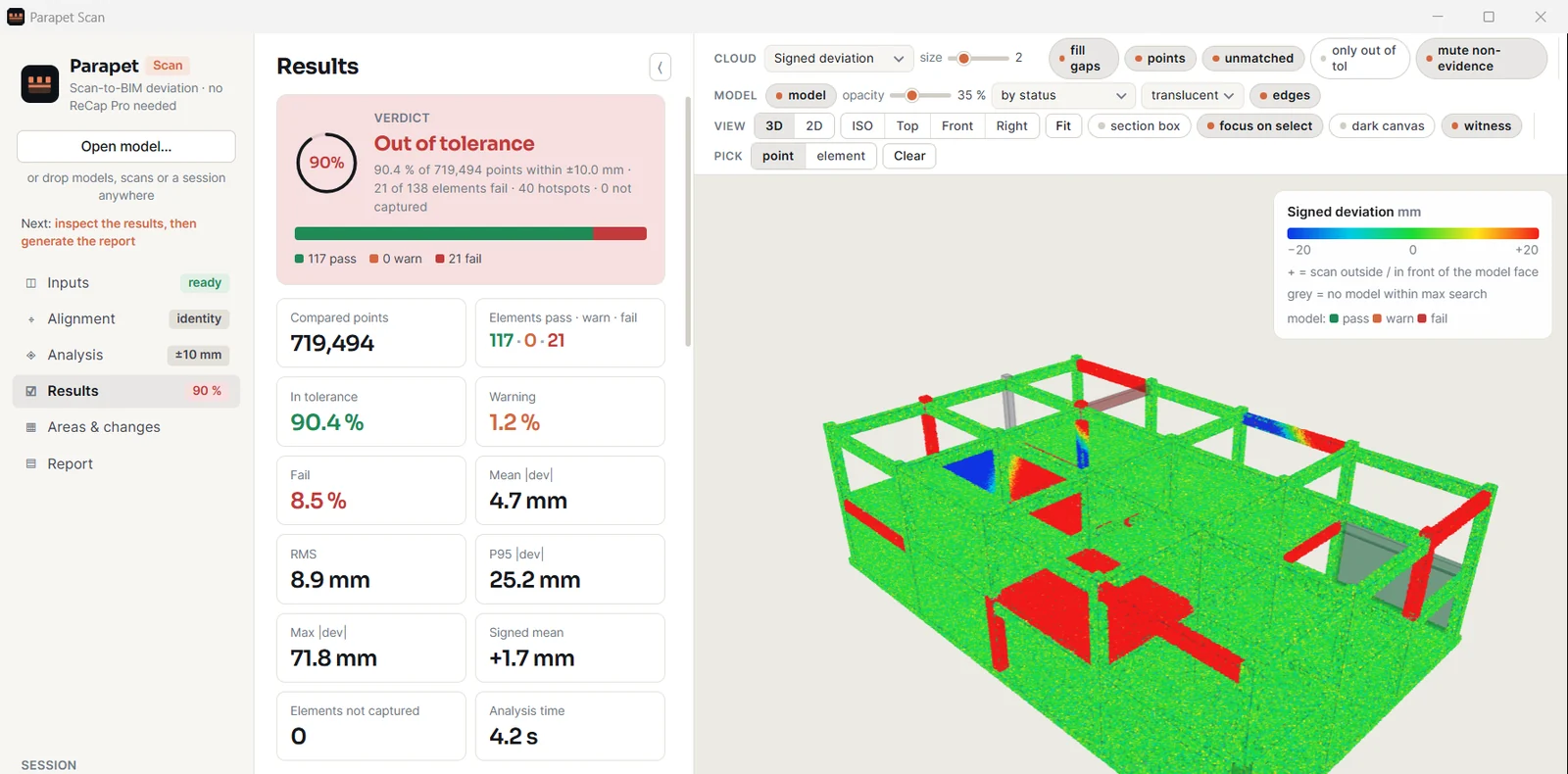
The Parapet Scan results page: 90.4 percent of 719,494 points in tolerance, 117 elements pass and 21 fail, beside a 3D view of a frame coloured by verdict.
Parapet Scan - 719,494 points against 138 elements: 117 pass, 21 fail. See Scan →

Two things live on parapet.app rather than in Revit: Audit Pro - the record behind the free Audit: every run kept, run-to-run comparison, the portfolio and the BIM QA Kit, included with any Hub or Link subscription - and your account, where licenses, computers and billing are managed. Once you own an app, its full tutorial is waiting for you too.

One tab, built for more

Every Revit add-in we build next lands in the same Parapet tab, installer and license portal - and every app, inside Revit or beside it, answers to the same key.

The Parapet ribbon tab in Revit: Hub, Link and Audit today, with room for the next apps - all sharing one installer, one license portal and one account. FileArchitectureStructureSteelSystemsInsertAnnotateAnalyzeMassingCollaborateViewManage Parapet APPS Hubelements · params LinkExcel · Sheets Auditfree NEXT APPS + + ACCOUNT Licenses Every new Parapet app drops into the same tab, the same installer and the same license portal. Install once. Each app decides for itself: free, or trial then Pro.
Three add-ins in the Parapet tab today. Every add-in we build next lands in the same tab, installer and license portal.

Have a job that eats your Fridays? Tell us - every Parapet app started as a user's Friday problem.