Revit 2020 → 2027 · one tab · one installer · one license portal

Revit, minus the
repetitive parts.

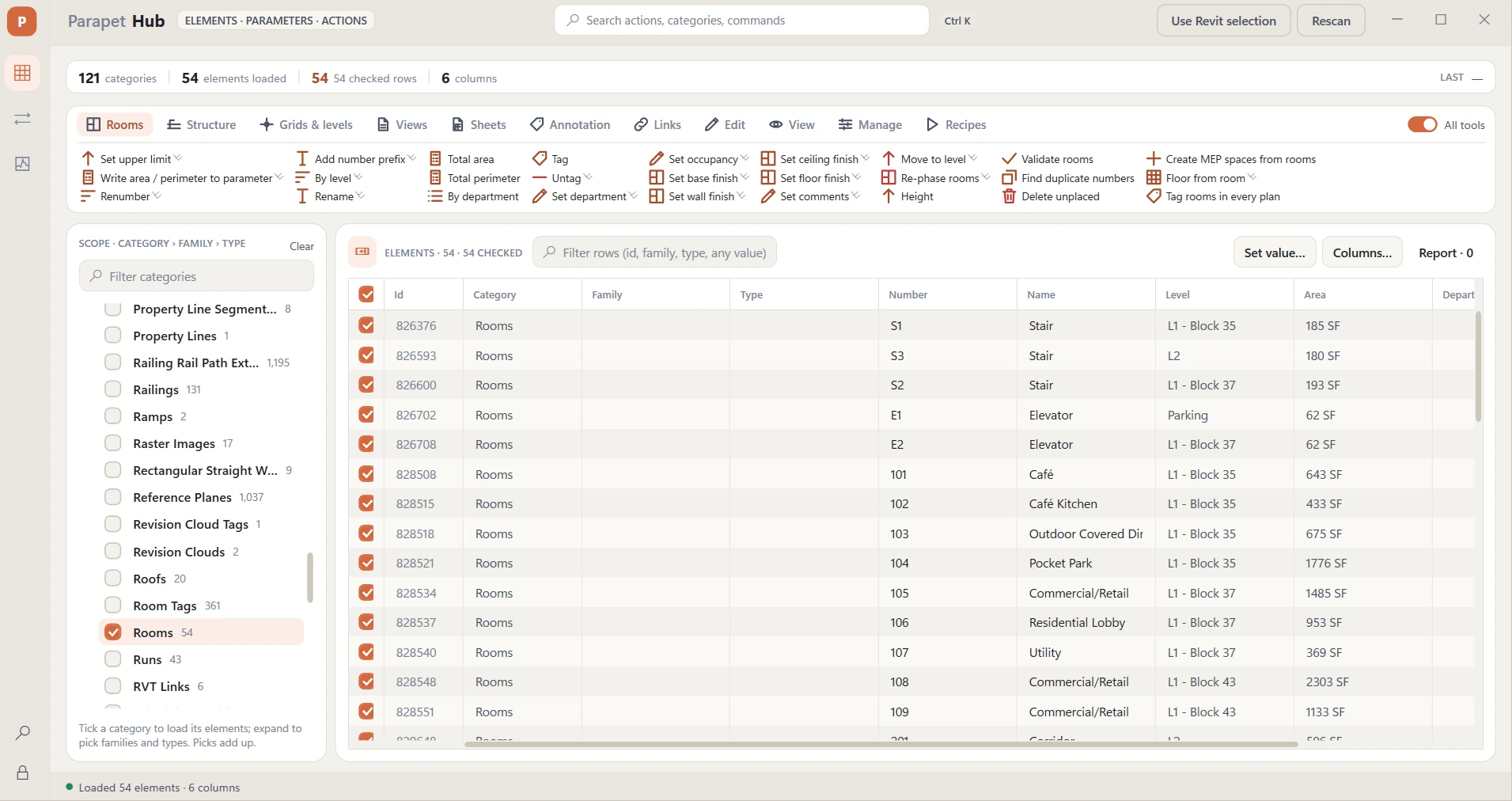
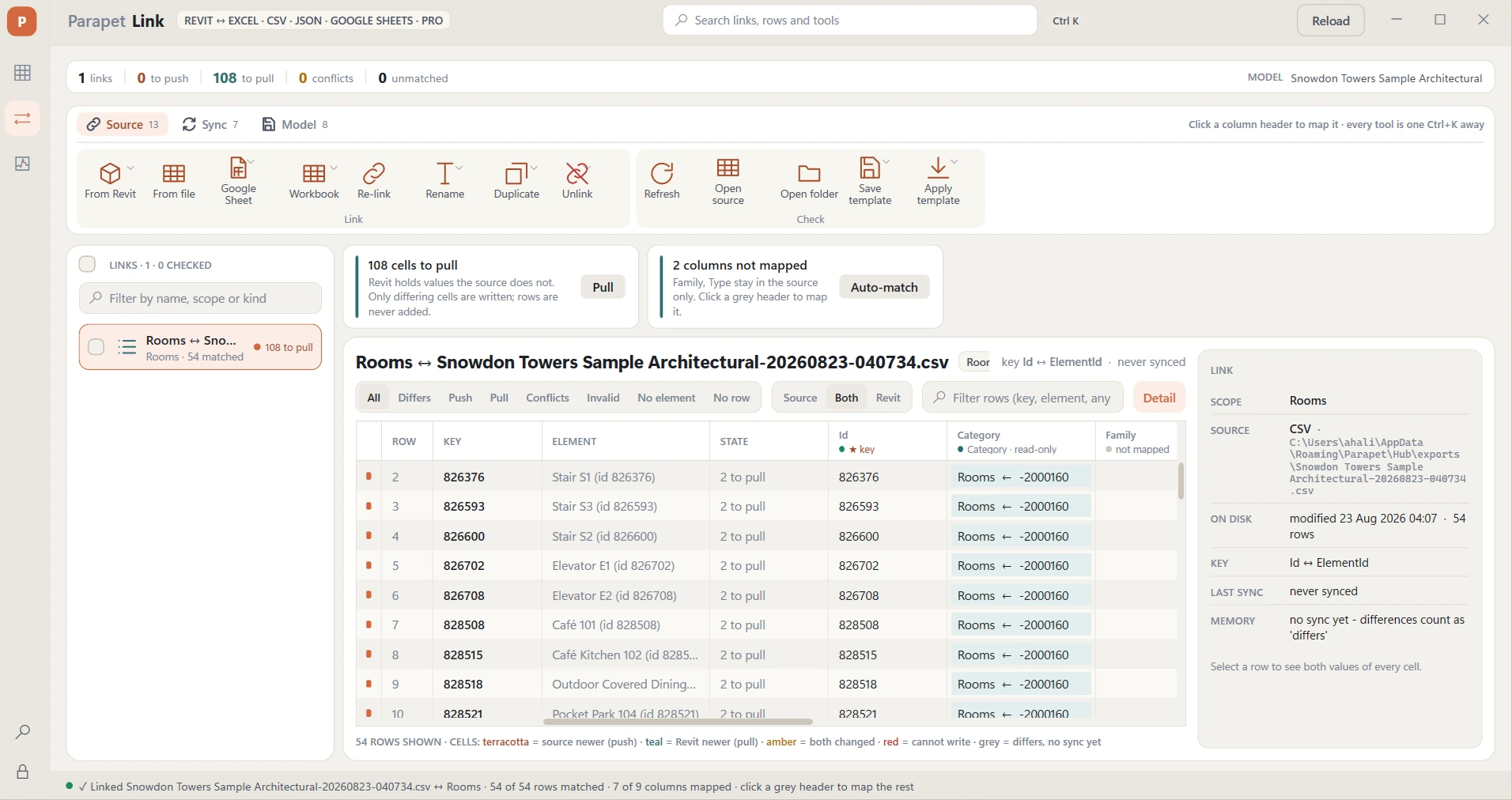
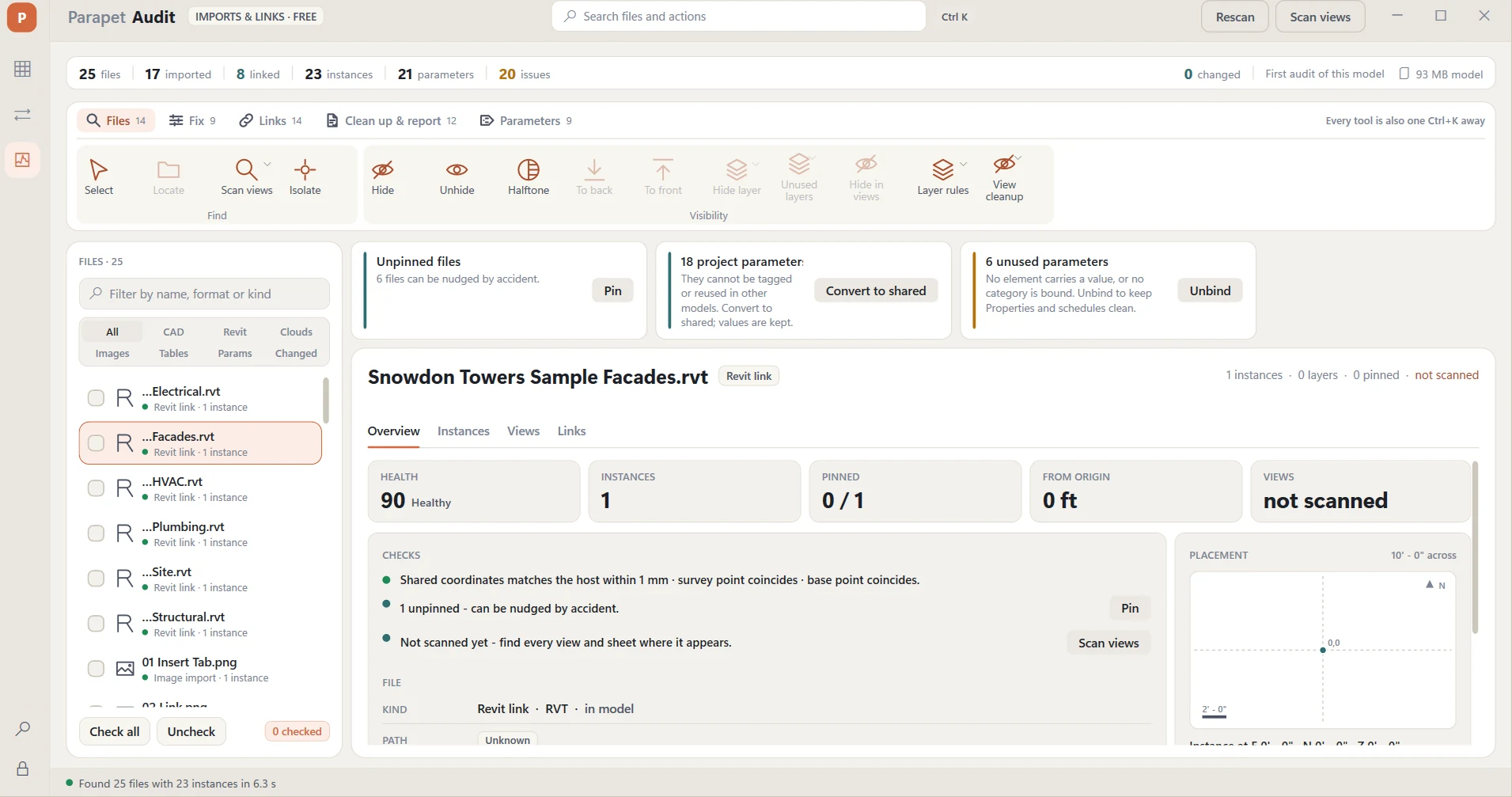
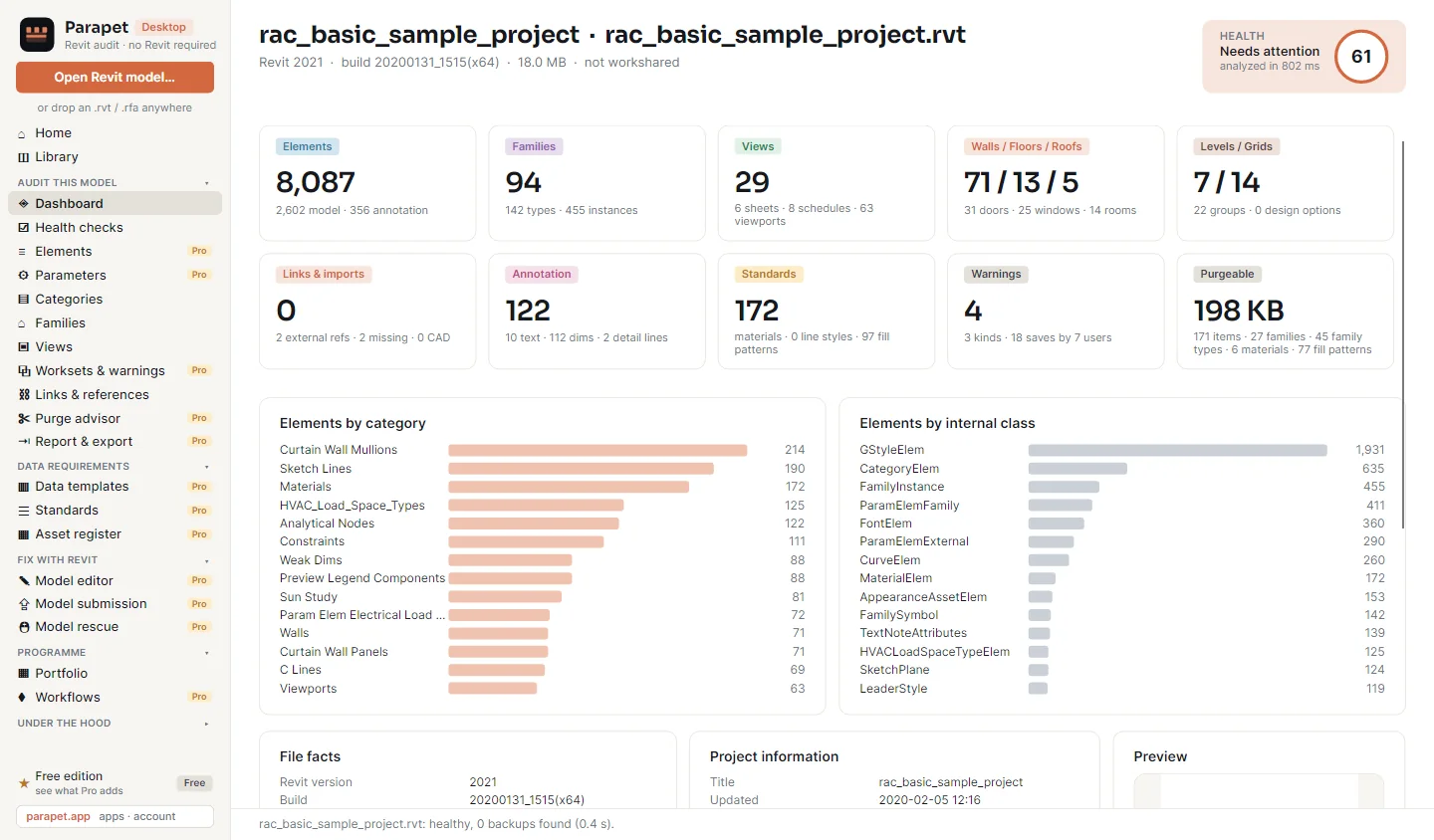
Parapet is a growing family of sharp, single-purpose add-ins for Autodesk Revit. Three apps today - Hub for elements and bulk parameters, Link for Excel, CSV and Google Sheets, Audit for links, CAD and shared coordinates (free) - and every app we build next drops into the same Parapet tab.

No credit card for trials · Free apps stay free · One Parapet Pro key for every app, or one app at a time · Cancel anytime

Windows 10 / 11, per-user install, no admin rights
Every action is one transaction - Ctrl+Z reverts it
Models never leave your PC; only the license checks in
Support from the people who wrote the code
Revit with the Parapet tab open: a floor plan colored by department, the Hub panel editing 340 doors, and result toasts - 180 rooms renumbered, 340 rows pushed, 412 MB down to 168 MB. Autodesk Revit 2027 - Project.rvt - Level 03 FileArchitectureStructureInsertAnnotateAnalyzeCollaborateViewManage Parapet Hub Link Audit Licenses L3-101L3-102L3-103L3-104L3-105L3-106L3-107 · corridor Parapet HubDoors · 340 MARKFIRELEVELHW SET D-30160L03HW-03 D-30260L03HW-03 D-30360L03HW-07 D-30490L04HW-07 D-30590L04HW-03 Renumber doors by roomRun Color by parameter → DeptRun one transaction · Ctrl+Z reverts Renumbered 180 rooms Pushed 340 rows · 1 flagged 412 MB → 168 MB · 38 DWGs gone 20 21 22 23 24 25 26 27
A Friday afternoon in Revit: a warnings dialog, a spreadsheet of changes, a heavy model and a pile of sheets - each routed to the Parapet app that handles it. Warnings ⚠ 1,247 warnings ▸ Elements have duplicate "Number" values (312) ▸ Room is not in a properly enclosed region (48) ▸ Highlighted elements are joined but… (887) Door_Schedule_FINAL_v7 (2).xlsx Mark Hardware Fire Finish D-101 HW-03 60 PT-1 D-102 HW-03 60 PT-1 D-103 HW-07 90 PT-2 … 337 more rows, changed again Central model 912 MB Sync with Central: 6 min 40 s 41 DWG imports, 9 nested in families Sheets to make by Monday × 60 views placed, numbered,titleblocks filled Hubrenumber · sheets · fix Linkpush v7, validated Auditfind & drop the DWGs next appyour Friday problem Every Parapet app started as something a Revit user did 400 times by hand.
A Friday afternoon in Revit, and where each part of it goes.
8Revit versions, 2020-2027
381one-click actions in Hub
3sources: Excel, CSV, Google Sheets
1Ctrl+Z per action, always
30day trials, no card

The apps, today

Each app does one job end-to-end. Install once; pick the ones that earn their place.

All apps →

Built as a platform, not a plugin

One Parapet tab in the ribbon. Every app we add lands in it - same installer, same account, same rules.

The Parapet ribbon tab in Revit: Hub, Link and Audit today, with room for the next apps - all sharing one installer, one license portal and one account. FileArchitectureStructureSteelSystemsInsertAnnotateAnalyzeMassingCollaborateViewManage Parapet APPS Hubelements · params LinkExcel · Sheets Auditfree NEXT APPS + + ACCOUNT Licenses Every new Parapet app drops into the same tab, the same installer and the same license portal. Install once. Each app decides for itself: free, or trial then Pro.

Every Revit you run

The installer detects Revit 2020-2027 and installs for each. One key covers all versions - and the next release.

Licensing that stays out of the way

One key for everything (Parapet Pro) or one app at a time: free apps register silently, paid apps start a 30-day trial from inside Revit. Two computers, two weeks offline, move seats yourself.

Built on real projects

Every feature started as something a Revit user did 400 times by hand. Support replies come from the people who wrote the code.

What Revit users fix with Parapet

Jobs that take an afternoon by hand and a minute with the right add-in.

All guides →

Bulk-edit parameters across hundreds of elements

Pick doors, rooms or any category, show only the parameters you need, paste a block from Excel or set one value on everything - validated, one Revit undo.

Link Excel, CSV or Google Sheets to Revit

Room programmes, door schedules, equipment lists and classification codes maintained in a spreadsheet, pushed into the model without retyping.

Find what makes the model slow, and remove it

List every DWG import and link, see which views use it, delete the junk safely. Free.

Renumber rooms, create sheets from views, color by parameter…

381 one-click actions on a ribbon that follows what you pick - a tab for each category you tick (rooms, walls, doors and windows, floors, ceilings, roofs, stairs, ducts and pipes, furniture, site and more) plus Edit, View, Manage and Recipes.

Typical time for four Revit jobs: by hand versus with Parapet - hours become minutes. Fire ratings on 340 doors Room programme from a spreadsheet Find every DWG in a 400 MB model Sheets for 60 views, numbered by hand / with Parapetby hand / with Parapetby hand / with Parapetby hand / with Parapet ≈ 3 h 2 min ½ day 5 min 1-2 h, incomplete seconds · free ≈ 2 h 1 click Indicative timings from real projects; your mileage depends on the model.
By hand versus with Parapet - indicative timings from real projects.

Made for the people who open Revit at 8:00

Different desks, same afternoon.

Frequently asked questions

What is Parapet?

A growing family of add-ins (plugins) for Autodesk Revit 2020-2027 made by an independent developer. Today: Parapet Hub (bulk parameter editing and 381 one-click actions), Parapet Link (Excel, CSV and Google Sheets ↔ Revit) and Parapet Audit (free: every external file and link, checked and fixed). All apps install from one installer into one Parapet tab.

Will there be more apps?

Yes. Parapet is built as a platform - every new app drops into the same tab, installer and license portal. We don't publish release dates; tell us what eats your Fridays and it shapes what we build.

Which Revit versions does Parapet support?

Revit 2020, 2021, 2022, 2023, 2024, 2025, 2026 and 2027 on Windows 10/11. One installer, one key for all of them. Revit LT is not supported because it has no add-in API.

How much does Parapet cost?

Parapet Audit is free forever. Parapet Pro (Hub, Link and Audit Pro together) is $24/month or $199/year; Hub alone is $19/month or $149/year and Link alone $12/month or $99/year. Every paid plan starts with a 30-day free trial, no card, and covers 2 computers. See pricing.

Does Parapet upload my Revit model?

No. Everything runs locally inside Revit. The only network traffic is the license check. Google Sheets data moves directly between your PC and Google under your own account. See privacy.

More questions →

Start with the free app. Keep what earns its place.

One installer, no card. Audit is free forever; Hub and Link run for 30 days before you decide anything.

Download Parapet